Over 20 of the best themes for your wordpress

Multi-Color


subject of several colors with three beautiful color combinations. Different designs of two or three columns. Footer Widgets. Custom image header. Options to customize the theme. Fixed width, navigation pages and the comments thread. Built on the basis of markers. Spanish translation ready. Compatible with WordPress 2.7 and higher until 2.9.x. XHTML and CSS. Compatible with Internet Explorer 7 +, Firefox 3.0 +, Safari 3.0 +, Chrome. Demo with all options enabled: http://nischalmaniar.info/wpthemes/?themedemo=multi-color 

Download


zBench

  Just small images, designed and created by zwwooooo. This is a WordPress theme without plugins simply necessary (support plugin WP-PageNavi, WP Page Numbers, WP-PostViews, wp-utf8-statements and related posts Simple Tags, WP-RecentComments), widgets, threaded comments , 


Download


Under the Influence

Minimalist issue with administration panel for custom colors, two or three column layout and other options. Comes with optional German translation.


Download


Arjuna X

 Arjuna represents the elegance, accessibility and attention to detail. We have a lot in optimizing their inputs and outputs. Translation ready, SEO focused, IE6-8, Firefox, Chrome, Safari and Opera compatibility, support for threaded comments, four bars, widgets, sidebar, flexible, and more. It can be customized through the administration panel. Changes: http://bit.ly/aLicfb 


Download


Constructor
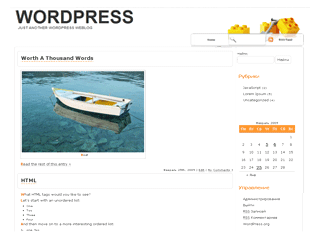

Wordpress Theme Builder, is many-in-one subjects (six designs, colors set, sources and presentation slides, ready for widgets). Build your own theme settings page. For Wordpress version 2.8 + (including 3.0)


Download


jQ


jQ includes a whole pile of jQuery functions, as well as a practical issue options page. The design is clean and solid, valid CSS and XHTML. Features: threaded comments, drop-down navigation, different styles and more. 

 Download


ChocoTheme


Elegant WordPress theme with two columns, click the sidebar. 3 combinations of colors availible. Theme Options panel background and the navigation settings.


Download 


Dark Wood

  Completely renovated WordPress theme of high quality. Wood, Brown, Dark. Two or three columns, threaded comments. Automatic thumbnail on the front page. Compatible with WordPress 2.9.x. Valid CSS and HTML compatible with IE 7, Mozilla, Safari. Demo available http://nischalmaniar.info/wpthemes/?themedemo=dark-wood 


Download 


Webslee


wordpress theme screenshot

Quick info

  • Social Bookmarks inbuilt
  • Automatic Thumbnails
  • Ready For Adsense


Sportise


wordpress theme screenshot

Quick info

  • Social bookmarks inbuilt
  • Ready for Ads
  • Automatic thumbnails

Easizino


wordpress theme screenshot

Quick info

  • Social bookmarks inbuilt
  • Inbuilt Ajax Gallery
  • Drop Down menu


Dareweb


wordpress theme screenshot

Quick info


Infinity


wordpress theme screenshot

Quick info

  • Magazine Style
  • Ajax/Widgets
  • Content Slider


Trilo

wordpress 
theme screenshot

Quick info

  • Magazine Style
  • Ajax/Widgets
  • Content Slider


CorMag


wordpress 
theme screenshot

Quick info

  • Magazine Style
  • Ajax/Widgets
  • Content Slider


Claudia


claudia wordpress theme screenshot

Quick info

  • Inbuilt Gallery
  • Inbuilt Social Bookmarks
  • Drop down menu


Ultrajax


ultrajax wordpress theme screenshot

Quick info

  • Social Bookmarks
  • Inbuilt Gallery
  • Drop Down Menu


Statio


statio wordpress theme screenshot

Quick info

  • 3 Columns
  • Widget Ready
  • Right Sidebar


Omalik


omalik wordpress theme screenshot

Quick info

  • 2 Columns
  • 125*125 Ads Ready
  • Magazine Style


StudioPress_Red


How to install WordPress Themes to your Web server (with photos)

WordPress is by far the most preferred platform for creating blogs. To make your site accessible on the web, you must install a Web server. Here are some steps to help you install WordPress on a server hosting web sites.

Steps to install WordPress theme:

1. You need to visit the WordPress site and download the latest WordPress codex. In.tar will present the format. Or.zip Gz.

2. Next, you need to do is make an empty MySQL database web hosting.

3. You need to add a user to your database and granted all privileges.

4. To install WordPress, you can make a directory such as wp1 or something similar on the website hosting of public servants within the HTML file

5. Go to the codex download and extract to any location on your hard drive.

6. You need to add file structure wp1 in the directory you created in web server.

7. Then you must define all the permissions on the folders from wp1 all the way to (chmod 755 wp1)

8. It is necessary to rename the file wp-confi-sample.php to wp-config.php and then open the file and add all user information and also add the name of MySQL database.

9. Open a web browser and type the following Internet address in order to initiate the launcher to complete your installation of WordPress: http://www.yourwebsite.com/wp1/wp-admin/install.php

10. The WordPress installation procedure only takes a few minutes to complete and will provide you with instructions to guide you to successfully complete the installation. After that, then you will need to verify data access and database information.

If you omit any of the above steps, you will not be able to install your WordPress.


 the way to install wordpress with helping  photos:

First, login to your hosting cPanel. Scroll down to the bottom and search for the software/services panel. The panel look may vary depends on your cPanel type. But, just try to search for this grey smiley icon in that panel. Click on it.


After that, on the left sidebar choose Wordpress from the BLOGS list. Click on it and select the New Installation.


And then, in the place of installation, select the domain name you want the WordPress blog to create. If you want to create a WordPress Blog in the domain sub-directory in which you can type the name of the directory you want the wordpress site to be installed in the installation file in the Directory section. To install the wordpress site in the sub-domain using Fantastico, simply create a sub-domain in your cPanel and select sub-domain that you created on the device in the domain.

After that, the data access management, enter the desired name and password that you use to access your site wordpress panel. Base configuration to enter your name and a valid email address. After that, type the name of the site and the description. For this, you can also change later. After settling with everything, click the Install button Wordpress.


And then click the Finish button to complete the installation of the wordpress installation. After that, you will receive information about installing new blog. You can access your new blog on WordPress: http://your-domain-name.com/wp-admin/. Enter the username and password that you have before you choose and you can start over. 

WordPress - How to Backup Your WordPress Blog


WordPress is one of the most popular software applications blogs that are currently being used for blogs and also as a content management system for websites. Like any other software, with popularity comes problems of security issues that people try to cut the program and cause problems for users. In addition to frequent updates, backups of the installation is one of the best ways to ensure that you make sure the box on your blog is down by a hacker.

There are two things that need to be supported for a full backup of your WordPress installation. The first is the database. Manually, you can use a tool to download the database and remember to do this week after week. There are also a tool which will automatically do for you.

Get the plugin WP-DB-Backup. Install this in your WordPress blog in the plugins folder and activate it. In "Tools", there will be a backup button that you can press. This is the area where you can set an option to have this database emailed on a daily basis or at least once a week. Make sure you use an email that is not connected to your current hosting account where the crowd is attacked. Now you have your database backup automatically.

The second part you need is all that you upload to your account and its plugins, themes, images, videos, and other things. For this, simply use an FTP client software application to access the hosting account and copy the contents of the public_html folder. This will make everything you need. If you do not carry things too often, this just might have to do perhaps once a month.

It is important to acquire the habit of making these two backups regularly. When performing backups on a regular schedule, if the blog or the host has some sort of security problem, you have the option to install the blog again on that host or a new one without having to worry about losing information, posts, pages, comments, or any changes you made to your account.

Makes the maintenance of WordPress blog or website simple and convenient. In taking measures to ensure the security of your website has the simplicity and convenience to the next level and gives you peace of mind as well.

do you want to hide your ip and Surf Anonymously on the Internet?

If you are about to take a decision on whether or not to hide your IP address, then you're in the right direction. More people are beginning to understand why it is necessary to protect your Internet protocol address each time they visit a website. Your IP address is provided by your Internet service provider (ISP) to create a unique identity for you. This helps the websites visited by you to create an identity for each time you visit. As good as all these ideas sound, your Internet Protocol can also be used to steal your online identity. That's why most online security experts suggest that people should begin to surf anonymously.

The first time I realized that I had to change my IP address each time you visit any website, I tried a simple method that is called an open proxy server. Free proxy servers provided opportunities to surf anonymously without users having to pay a penny. Those who are heavy users of the Internet need something much better than these free proxy servers online. Not recommended for people who have a lot to protect this service. Many of them are severely limited in terms of facilities, and rarely can penetrate some HTTPS sites. Users who need something much stronger than what a free proxy server provides you should opt for a paid service, after all, some of them with quality services.

People who are occasional Internet users should also be aware of the fact that some of these so-called proxy servers are free potential hackers. They are good for monitoring your online activities, are dealing with a lot of great attacks.

The other option he gave me my chance when I was looking for a way to change my IP address is called the software to hide IP address or application. This application is needed by large consumers where they want to surf anonymously online. It works silently behind the scene to prevent unwanted monitoring and to provide different means to hide your IP. Unlike the free Web server that slows down your speed Internet, this application does not interfere.

Finally, this software is licensed by the relevant authorities, making them more secure and assured to use the time you want to hide your IP address.

Want to surf anonymously and protect your identity online? CLICK HERE!

3D models - Сlassic Аurniture

How to Choose a Notebook Computer

Since laptops came out, everyone wants to have one. They would be very expensive, and acquire a laptop computer was done only when clearly needed. But now they have become very affordable and people are buying more and more laptops, even if just for fun.

There are a lot of laptops on the market today and choosing one can be a difficult task, especially if you do not know what you want on your computer or laptop.

For this reason, it is always better to clarify what is going to use the computer for most and what specifications you would like in it. This will help you get a computer that is perfect for you and you will not regret buying this equipment.

The first thing you should consider while buying a laptop is the size you want. The cost of these laptops are mainly dependent on the size of the screen and you can get anywhere from 8-inch screens to 21 inches. If you think getting a screen bigger is better, think again. If you are a frequent traveler who must have the PC wherever you travel, be stupid enough to get a 21-inch display. The purpose of a laptop is the ease of portability and there is no point in getting a PC that is too large to carry everywhere. Laptops that have screens that are more than 17 inches are often considered as a desktop replacement.

Another thing to consider is what kind of processor you want. A good processor will allow you to run multiple programs simultaneously without any delay. If you plan to run many programs at once and require a faster processor, the Intel DualCore is quite a good processor and comes standard on many laptops. However, if you want to get something a little more advanced, then the QuadCore is a better alternative. If you are a game that probably should get a good processor as most recent games require a good processor speed.

Who Could Use Computer Training?

Computers are something that our society has taken by storm, it was the last generation that can remember what life was like before computers, internet and all that. The games were rare, suddenly seemed that all my friends were. When computers began to be common in households had a lot of training for them, people who were interested in buying one and assumed that, by themselves, entrepreneurs began to buy large scale. Everything was new for the courses were created by those who saw that people had to learn to use these new tools, or the person who knew I had more to train or help others.

Since then, computers have quickly gained entry and are now a common tool. But you still need training? There are plenty of people out there who feel they need training, they have been using software such as Microsoft Word for more than 10 years, young people have no fear or apprehension about the team and have been playing with the software for same time if not more then a lot of their parents.

Do you have confidence in bringing the knowledge? Anyone know someone who is extremely confident of something, but know almost nothing about the subject? Whenever I am offered training, I agree if I can, because there's always something you can learn in training. Some topics that have been training for over 10 years and have passed the Microsoft exams expert, yet I learn something, sometimes it's just a small little feature that I did not know was there, and sometimes is how to use a feature that I've never thought of using the same way. Other coaches I work with feel the same way.

You may have used a feature for years and can be used in your dream, but a good training course will show how to use a feature in a way that you did not know he could be or do things all the time features you never knew existed. I was training a group of ladies who use Microsoft Word every day, most of the day for many, many years. I was given an outline that his company wanted me to train, so I did my thing. One of the subjects, who had been trained in another training session, suddenly found they could use and would save hours a week, yes hours.

The previous coach (not know) taught the same thing, but it could have been that his perspective or description was different then mine, but the exact same issue suddenly became something they could not live without it.

Most people are too busy working, trying to get documents completed and sent to play with the software and information on new features or how to use features not really work. Use what you are used to and when you see someone with a new feature coming to show how, or when you find a new feature you can show others how it works. What if by taking a training course a few hours you could save yourself each week?

If you book yourself in the course of any cheaper, you might be lucky enough to attend a good meeting, but remember that knowledge beyond the manual does cost money and worth more than the cheapest way around. Saying that, the course more expensive does not mean you will get the most knowledgeable coach, the best way is to ask about the experience of the coaches and take a course. If the course is not good, go to another training company, and ensure that the coach had in the previous company is not training in the new company. Most trainers are independent and work with several training companies.

Once you have found a training company that has great coaches, stick with them. Take several training courses and ask about the measure, the training they have issues that are not in the other courses, but are useful to you and you work. The training is beneficial for everyone, so if you work for a company ask to send an envelope.